One schedule per disk
macOS applies a single backup frequency to every destination. Escapement gives each disk its own: the local SSD every few hours, the network share once a night.

macOS backs up every hour, every day, every week, or not at all. Escapement adds the option Apple left out: whenever you say.
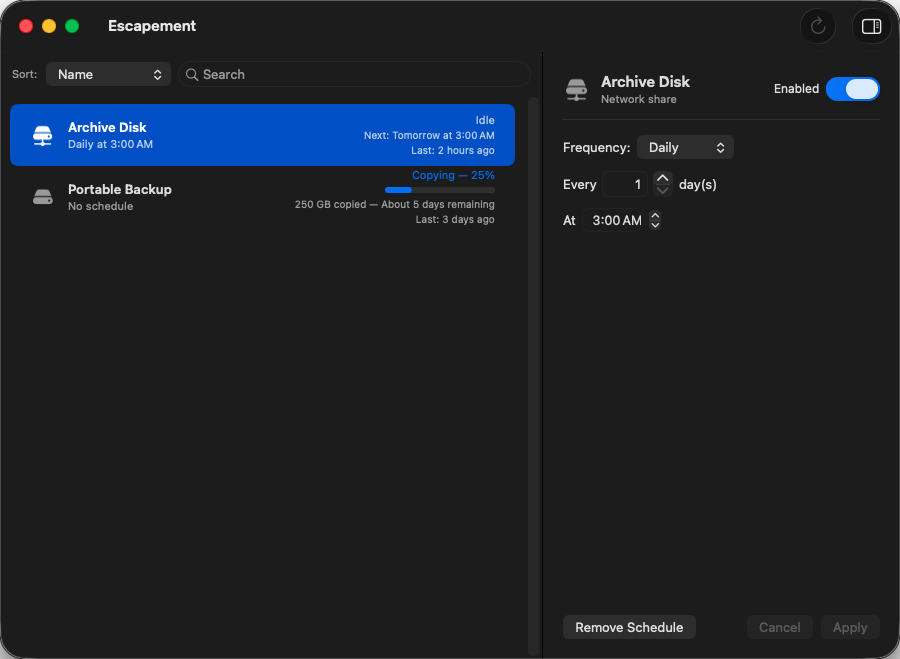
Hourly, daily, weekly, monthly. Escapement summarises what you set like this:
macOS applies a single backup frequency to every destination. Escapement gives each disk its own: the local SSD every few hours, the network share once a night.
A background agent keeps the schedule and registers in Login Items & Extensions, where you would expect to find it. Open the app to change something, then close it again.
Quiet the schedule for an hour, until tomorrow, or until you say otherwise. Back Up Now still works while it is paused, and the pause survives a restart.
No administrator password, no helper tool, no Full Disk Access required. Escapement starts a backup the same way you could from a terminal.
It doesn’t create, configure, encrypt, or delete Time Machine destinations, and it never touches backup data. You set your disks up in System Settings as usual. Escapement decides when they run.
It won’t change your system settings for you either. When one of them conflicts with what you’ve asked for, it says so and points at the right pane. The decision stays yours.
Apple documents this use case. From man tmutil:
The
--autooption provides a supported mechanism with which to trigger “automatic-like” backups […] it provides custom schedulers the ability to achieve some (but not all) behavior normally exhibited when operating in automatic mode.